 Forge
Forge PDF to Word Converter: Free & Online
Reconstruct a PDF as an editable DOCX. Standard mode uses existing text; scans require an available OCR path.
or drop a file here · free, no signup, files deleted automatically
How to convert PDF to Word
- Upload your PDF (drag & drop or browse).
- Choose Convert to Word. (If the PDF is locked, unlock it first.)
- Download the result and compare it with your original before sharing.
A practical starting point
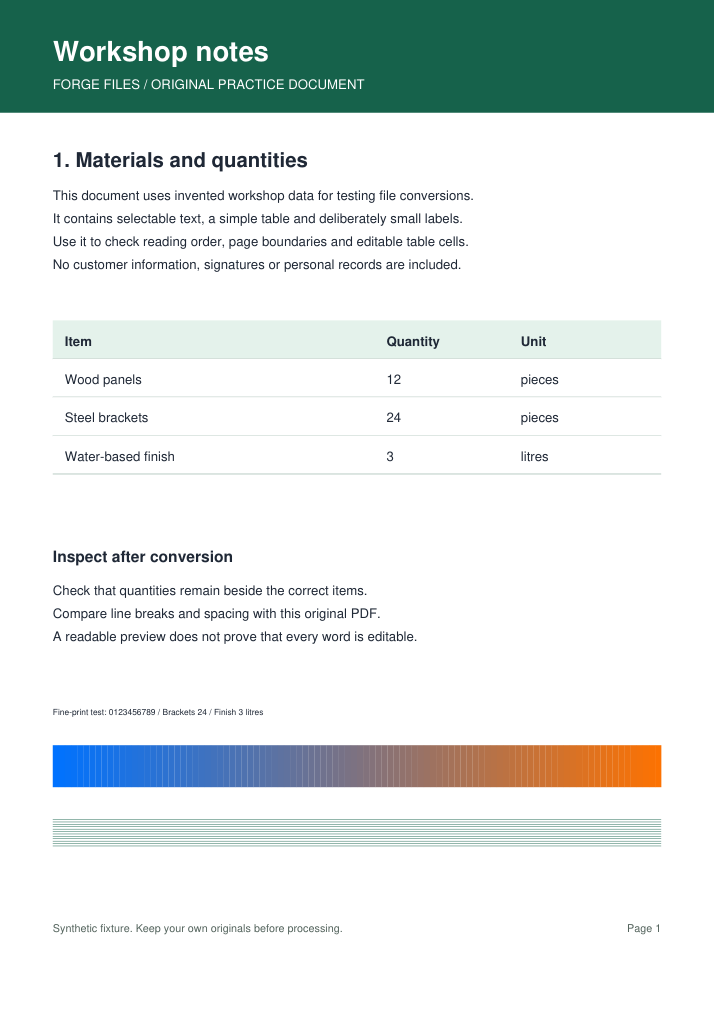
Try the workshop report below. Open its converted Word document and edit a table quantity; a readable preview alone does not prove editability.
TRY IT WITH A PRACTICE FILE
A reproducible example
A three-page workshop report with selectable text, headings, a materials table and fine print. The DOCX below was produced by the standard converter. Inspect table cells, page breaks and line wrapping; this simple fixture does not demonstrate accuracy on scans or complex layouts.
Original PDF (9,531 bytes)
Actual converted Word document (38,637 bytes)
How this example was made
Original synthetic fixtures generated by Forge Files. No customer files or stock images. Local Python utilities from this repository; standard PDF-to-Word mode, HEIC JPEG quality 95. Browser processing and production runtime may differ.
Generated and checked on . Exact sizes, hashes and software versions · Reproduction script.
Frequently asked questions
What are the limits of PDF to Word?
PDF stores positioned content rather than the original Word structure. Columns, equations and page breaks may change. Standard conversion does not recognize scan images; AI Layout Recovery depends on server availability.
How should I check the PDF to Word result?
Compare numbers, table cells and reading order. If the result is empty or contains images, check whether text can be selected in the source. Image-only pages need OCR when available.