 Forge
Forge Compress a PDF without sacrificing the details you need
A smaller attachment is useful only if the recipient can still read it. Here is a practical way to choose a compression level, with an original scan you can test yourself.
First, find out what kind of PDF you have
Open the document and try selecting a sentence. A digital PDF often has selectable text and separate images. A scan usually holds a picture of the whole page, including its words. Some PDFs contain both kinds of pages. This distinction matters: reducing image detail can soften scanned words, even when selectable text stays sharp.
Inspect a page with the smallest print, not only the cover. A 20-page text report may already be compact, while a single scanned page can contain a large image. A file's page count alone does not predict how much it will shrink.
Choose a level and check the result
- Keep the original. Open Compress PDF, choose your file and start with Low.
- Download the output and compare its actual byte size with the destination's limit.
- Inspect small text, signatures, fine lines and colored labels at 100% and 200% zoom.
- If the result is still too large, try Medium from the original, then High only if the important details remain readable.
Do not repeatedly compress the last output: a fresh attempt from the original avoids stacking lossy conversions. There is no universal safe setting for every scan.
What the levels actually change
In the current server utility, Low targets eligible images up to a 2,200-pixel longest side with JPEG quality 80; Medium uses 1,600 and 60; High uses 1,000 and 40. Small images and transparency take different paths, and re-encoding is skipped when it does not save space. These are implementation settings, not a promise about the final file size or visual quality.
A 1,000-pixel page image spread across a full sheet has fewer pixels available for each letter than a high-resolution scan. You may not notice that in a thumbnail, which is why downloading and zooming matters.
If the upload portal still rejects it
Check whether the portal specifies bytes, KB or MB and whether it also requires a particular format or page count. Keep a small margin below the stated size limit. If only a few pages are needed, use Extract Pages before compression. Do not remove required evidence just to pass a size check.
When a readable document cannot meet the limit, ask whether the recipient accepts separate parts or a file link. Keep the full-resolution original for archival use and printing.
TRY IT WITH A PRACTICE FILE
A reproducible example
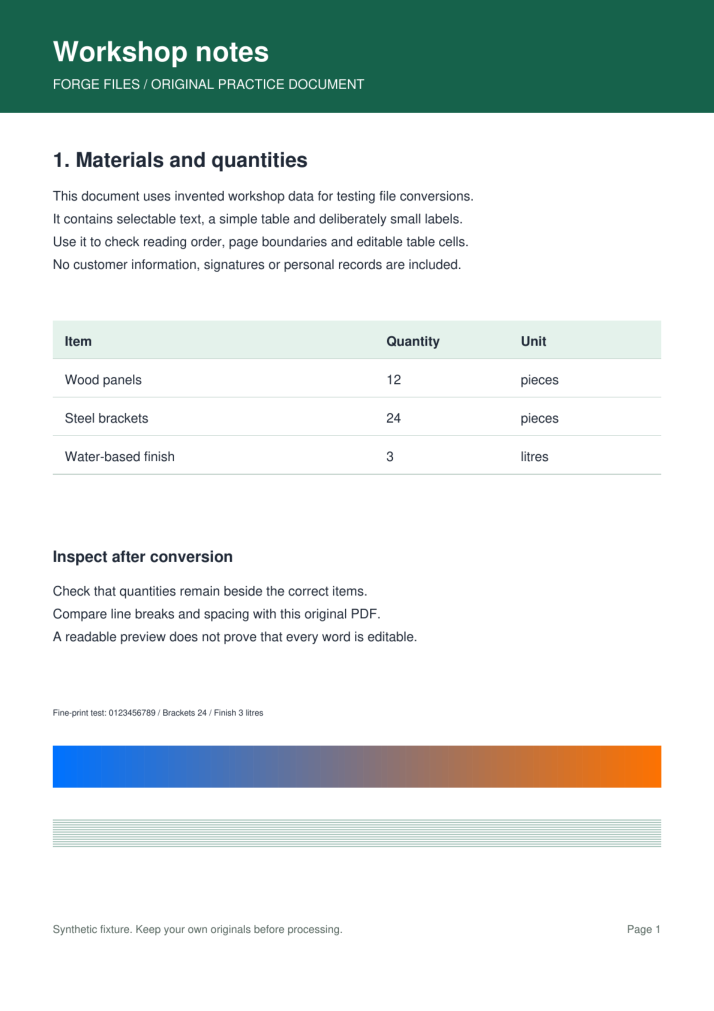
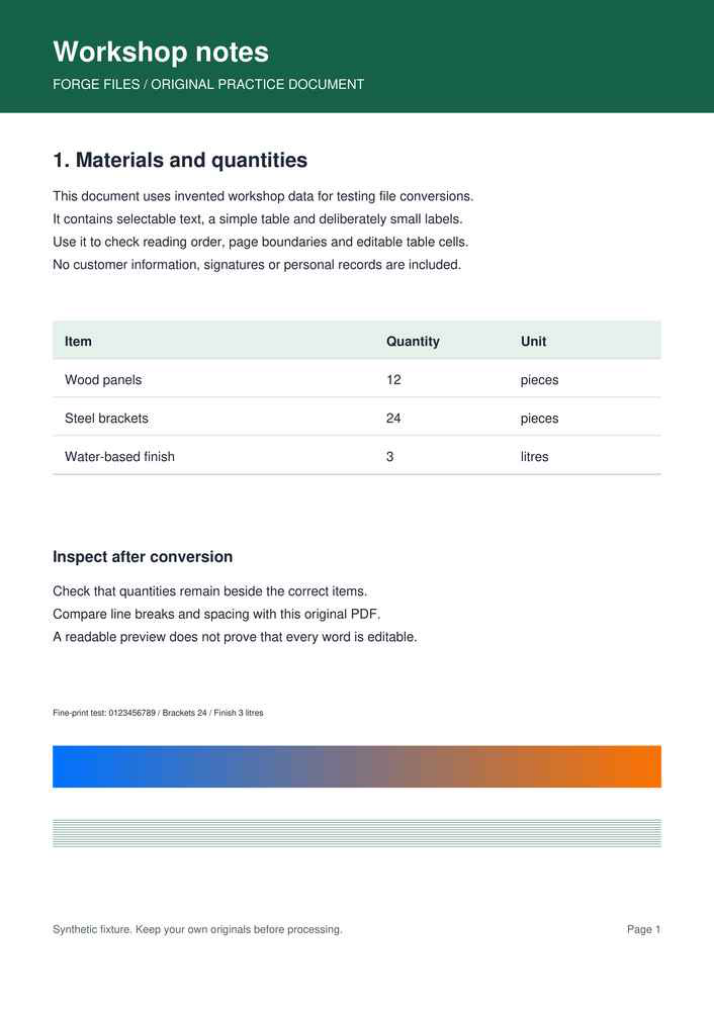
This one-page synthetic scan contains small text, thin rules and a color ramp. It has no selectable text. Compare each output with the original at 100% and 200% zoom.
Download the original scan (217,168 bytes)
Scroll the table sideways on small screens to compare all columns.
| Level | Output size | Reduction | Result |
|---|---|---|---|
| Low | 181,775 bytes | 16.3% | Download PDF (181,775 bytes) |
| Medium | 90,770 bytes | 58.2% | Download PDF (90,770 bytes) |
| High | 38,886 bytes | 82.1% | Download PDF (38,886 bytes) |
How this example was made
Original synthetic fixtures generated by Forge Files. No customer files or stock images. Local Python utilities from this repository; standard PDF-to-Word mode, HEIC JPEG quality 95. Browser processing and production runtime may differ.
Generated and checked on . Exact sizes, hashes and software versions · Reproduction script.
Frequently asked questions
Why did the PDF barely shrink?
It may already be optimized or contain mostly efficient text. File size is not a quality score; compare the actual output before deciding whether compression helped.
Is this lossless compression?
Structural optimization can be lossless, but the image compression levels can discard detail. In scanned PDFs, that detail includes the words themselves.